
Dynamic templates
Live-data layouts, written from one sentence
A dynamic template in impressBox is an HTML layout with editable fields: the AI agent writes it from a one-sentence description and binds it to live data such as weather, time, prices or Power BI, so the screen stays current without anyone redesigning it.
How a dynamic template works
- 1
Describe it, or show a picture
Tell the AI agent what the screen should show in one sentence, or give it an image of a design you like.
- 2
The agent writes the template
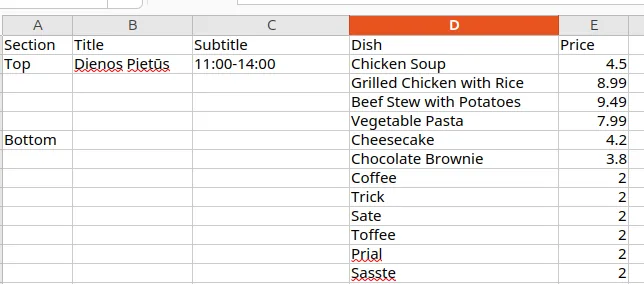
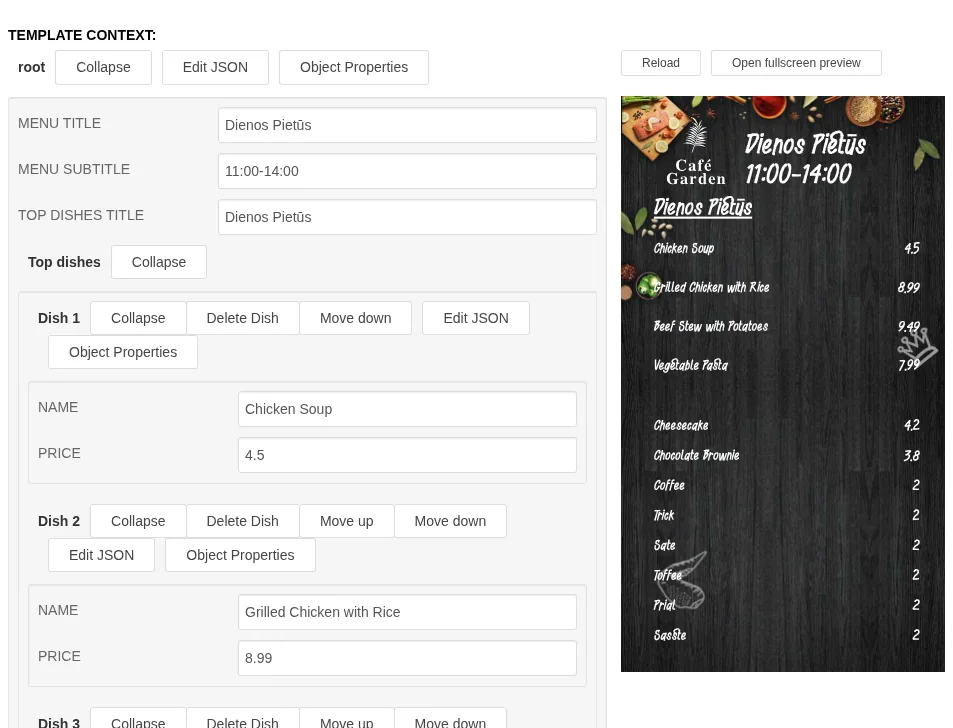
It builds an HTML layout with named fields (a parameter schema), such as dish names, prices or a KPI value.
- 3
Fill it, or bind it to live data
Type the values in a form, hand the agent a spreadsheet, or connect a live source such as weather, time, prices or a Power BI report.
- 4
Change it on screen
Edit a value and the screen updates in real time, without anyone redesigning the layout.
What customers build with them
Customers use dynamic templates for price boards, menus and dashboards, and for any screen where the data changes more often than the design.
Price boards
Prices and offers that change often, kept in one place.
Menus
Daily lunch menus and specials, switched by schedule.
KPI dashboards
Live KPIs and Power BI reports on office screens.
Wayfinding
Directions and room information that staff can edit in real time.
Weather and time
Local weather and the current time as part of any layout.
Data and design stay separate
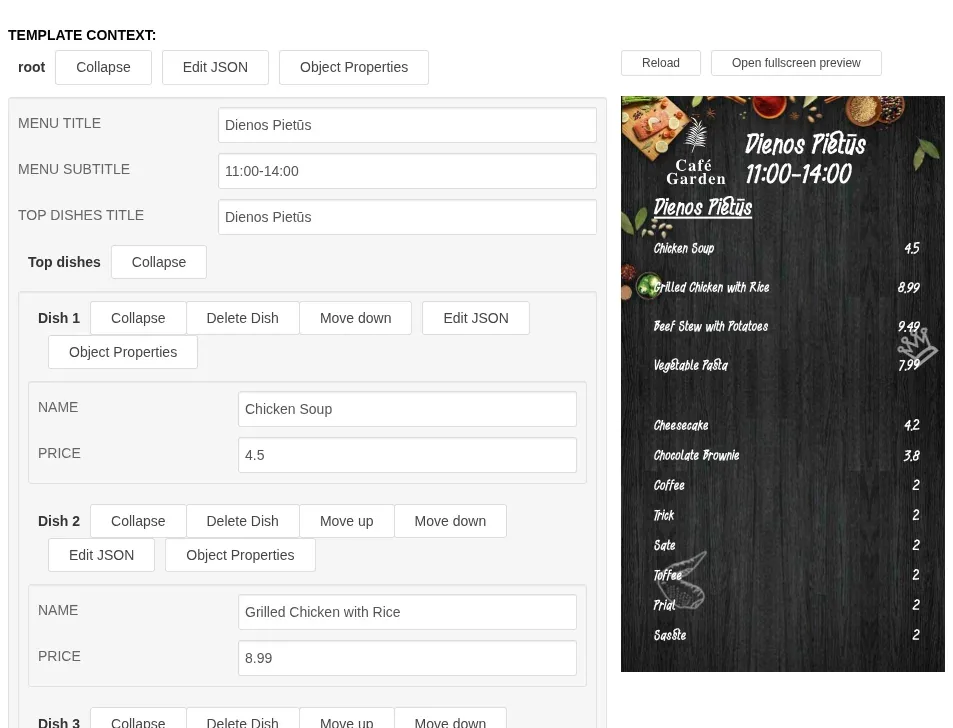
Generative AI can edit an image in any way you ask, but for a menu or a price board you usually want the design to stay fixed and only the data to change. That is what a parametrized template is for.
The layout is written once. After that, the agent, or anyone on your team, changes the data: a new price, a new dish, a new KPI. Changing the soup price never rearranges the design.
When you do want a design change, you ask for that separately, for example an animation or a new color scheme, and the agent edits the template code.
How templates reach the screen
HTML in the player
A template is a small web app that runs inside the impressBox player and reads its own parameters.
Or a rendered video clip
impressBox can also render the template to video or images in a headless browser and play that instead.
Device-specific content
Templates can read the tags assigned to a device, so one template can show different data on each screen.
Live updates
A live WebSocket channel changes parameters or triggers actions on screen without reloading the page.
Example prompts
“Create a template from this image.”
Reads the design, extracts the fields and writes an HTML layout you can reuse.
“Create the item 'Daily lunch' with the 'Daily lunch' template from this data.”
Fills the template from a spreadsheet and saves it as content.
“Set the soup price to 6 EUR in the 'Daily lunch' item.”
Changes one value and formats it like the other entries; the design stays as it is.
“Animate the daily lunch template, zooming the background in by 30% over 10 seconds.”
Edits the template code to add the animation.
“Make a template for the lobby that shows the local weather and the time next to our logo.”
Writes a layout with weather and time bound to live data.
“Put the weekly sales report from Power BI on the office screens.”
Creates Power BI content and adds it to the office playlist.
More template workflows, with before-and-after images, are in the prompt library.
Frequently asked questions
What is a dynamic template in impressBox?
An HTML layout with named fields that the player renders on screen. The AI agent can write one from a one-sentence description or an image, and the fields can be filled by hand, from a file, or from live data such as weather, time, prices or Power BI.
Do I need to know HTML?
No. The agent writes and edits the template for you. If you want to, the dashboard has a code editor with live preview and syntax highlighting, and forms generated from each template’s parameters.
Can I change the text on screen without breaking the design?
Yes. Data and design are separate: asking the agent to change the soup price updates that one field, and the layout stays exactly as designed.
Which data can a template show?
Values you type in a form, data from a file you give the agent, the tags of the device it plays on, and live sources such as weather, time, prices and Power BI reports.
How are templates played on screens?
Either as HTML inside the impressBox player, or rendered to a video clip or images for playback. See smart transcoding.
See dynamic templates in a demo
Book a demo to see the AI agent write and fill a template, and ask how it would work with your own data.